Webpage to PDF1.3
Publisher Description

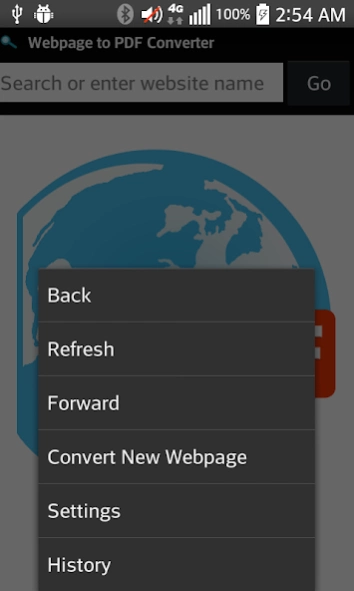

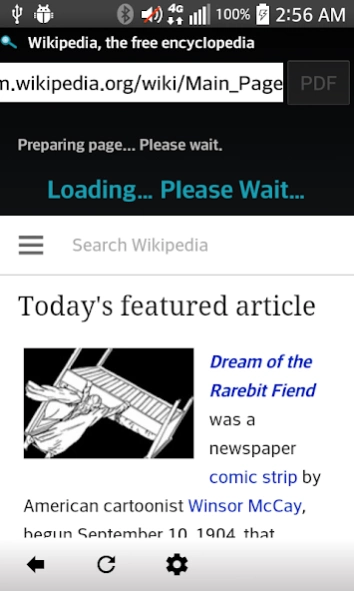
A web browser which converts webpages to PDFs.
The Webpage to PDF Converter provides a way to print website pages to real PDFs which are rich with text, images and links. This allows you to view your favorite webpages offline and provides a way to share the content with others.
Since this app functions as a web browser, you are able to convert webpages to PDFs which contain post data and/or require you to login to the site. Note that if you don't need to convert such pages, you can use our URL to PDF converter which doesn't require browser interaction.
If you need to interact with a browser, this app is very simple to use; simply enter a URL or search term into the address field and once the page loads, hit the "PDF" button. Note that some sites don't load the entire page until you scroll down. For best results, scroll down to the point that you want to capture and then tap the PDF button.
You can even modify PDF output settings such as:
Page size
Orientation (portrait or landscape)
greyscale or full color
Support for many different languages has also been added. The app is currently capable of rendering Arabic, Chinese, Cyrillic, Greek, Hebrew, Hindi, Latin and other alphabets.
About Webpage to PDF
The company that develops Webpage to PDF is OT Apps. The latest version released by its developer is 1.3.
To install Webpage to PDF on your Android device, just click the green Continue To App button above to start the installation process. The app is listed on our website since 2017-05-11 and was downloaded 10 times. We have already checked if the download link is safe, however for your own protection we recommend that you scan the downloaded app with your antivirus. Your antivirus may detect the Webpage to PDF as malware as malware if the download link to org.topdf.webpagetopdf is broken.
How to install Webpage to PDF on your Android device:
- Click on the Continue To App button on our website. This will redirect you to Google Play.
- Once the Webpage to PDF is shown in the Google Play listing of your Android device, you can start its download and installation. Tap on the Install button located below the search bar and to the right of the app icon.
- A pop-up window with the permissions required by Webpage to PDF will be shown. Click on Accept to continue the process.
- Webpage to PDF will be downloaded onto your device, displaying a progress. Once the download completes, the installation will start and you'll get a notification after the installation is finished.
Program Details
System requirements
Download information
Pricing
Version History
version 1.3
posted on 2017-05-12
Version 1.1:
Improved app stability.
Version 1.2:
Updated to work on Android Nougat. Optimized code.
